
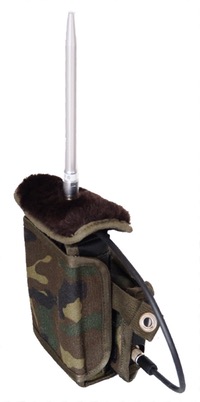
 Normal detection
 Longterm monitoring
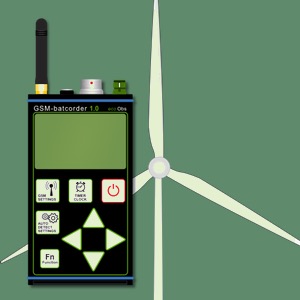 Nacelle monitoring
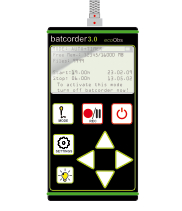 Normal detection


Questions and answers
When working with our products there will be once in a while questions, that aren’t answered in the manuals. Furthermore using our products on a daily base will generate questions on details. Please feel free to contact us to get answers. Please excuse the short english list for now, we are currently preparing content from the German list and will add it here.
Hardware
-
Principally SD-cards formatted with one batcorder version should only be used in the same model. Otherwise you may encounter loss of data.
If you want to use the sd card in another model, make sure to format it by hand using the built-in format options of the batcorder. That way you ensure that the data organization is as expected by this model of batcorder.
-
We recommend to always enable write protection of the sd-card. Computers sometimes reorganize the data structure and this will render the card unrecognizable by the batcorder. In that case you have to format the card again using the batcorder.
-
The batcorder does record all call like signals starting at roughly 12 kHz. It doesn’t play a role if it is a echolocation call or a social call. The call recognition that triggers recordings is designed in a conservative way, that it will also record signals similar to calls. Only the identification algorithms in batIdent are not trained for social calls apart from Pipistrelloid social calls.
-
The batcorder is calibrated using a 40 kHz signal. The batcorders amplification is set in such a way that this 40 kHz test signal achieves full scale at 96 dB SPL. We measure the peak to peak amplitude for this calibration.
-
TSL stands for test signal level and defines a measure of microphone sensitivity. It is calculated as dB value and sent via the SMS. dB SPL is a logarithmic scale, thus a change of -6 dB means a halving of sensitivity.
For the TSL evaluation twice a day, when starting and when stopping per Timer mode, a well defined sound signal is played and stored by the batcorder. The RMS is measured and compared to an individual reference value.
The reference is individually measured per system after it is installed at its final location. This is done int he according menu of the batcorder, usually when or after checking the microphone correction factor. The reference is measured then automatically and stored for the daily tests.
-
These cards are not compatible with the batcorder and thus can't be used even without WiFI enabled.
-
If a mic is defect, you would only get -20 dB or even -99 dB values reported. In that case it might be that in the morning conditions are very unfavourable due to rain, humidity or frost. That would explain the reading in the morning. You should not need to worry. But keep an eye on that system, if the microphone might fail you can react quicker.
-
This indicates a problem with the microphone cable, since the temperatur sensor logs data via the same cable. So maybe the cable is damaged. In that case your microphone might also not work anymore and the hardware should be checked.
batcorder 3.x
-
The batcorder has an internal buffer for the clock and its settings. This buffer runs for multiple weeks. If the batcorder battery runs empty and is kept without power for a longer time the clock will reset.
-
The service port doesn’t not allow to communicate with the batcorder nor does can it be used for data download. Since 2017 we offer the GSM-batcorder which allows download of recordings via the built-in USB port.
-
For batcorder 3.0:
Hold Light and Power key until the batcorder turns off.
For batcorder 3.1:
Hold the Power key for min. 15 seconds until the batcorder turns off.
GSM-batcorder
-
While theoretically they work with the GSM-batcorder, you are missing the daily TSL measurement. The old discs have an extra cable for the signal producer and the GSM-batcorder expects this cable to be integrated into the microphone cable.
-
The GSM-batcorder has an internal buffer for the clock and its settings. This buffer runs for multiple weeks. If the batcorder battery runs empty and is kept without power for a longer time the clock will reset. If the device is installed within an Enercon box make sure that is not setup with an external timer.
Usage
-
For working in wind turbine nacelles often various regulation are requiring medical tests and special education. Most consultants do not fulfil these requirements and are not allowed to enter a wind turbine nacelle. Thus, installation of batcorders is mostly done by service teams that are also servicing the wind turbine. Usually they are well aware of the technical requirements of installation and have done such installations quite often. We recommend you schedule installation in advance, the teams often have only limited time slots. We are not qualified to do such installations.
-
If you record bat calls very close to a swarming site, you will not only get a lot of recordings. Many of these will show rather untypical call types. So while the batcorder works well in this situation, the analysis will get more complicated. We thus recommend to enlarge the distance to such a site in that way, that you will less often record untypical calls while still being able to document the swarming behaviour.
-
The batcorder 3 as well as the GSM-batcorder are regularly used for off-shore surveys. May it be installation on a wind turbine, platform or even buoy. You may need to alter the box if installed outside or take extra precautions for protecting the cables from birds, but otherwise it runs well.
-
To change to mode between these two versions you will need a control module version 3 or newer. Connect the module to a batcorder 3 and when powering on the batcorder, hold the Mode key. Now you can choose the operation mode. For some box-extension modules you may need to send us the control module to converse it to wt-modell.